

Choose a platform
-
 Android Version 3.1.220G
17 MB
Download Get it on Google PlayRecommended for your device
Overview
Introduction
Revo Uninstaller Mobile is the mobile counterpart of the popular desktop application, offering users a portable solution for uninstalling and managing applications on their mobile devices. Developed by VS Revo Group, this app provides a convenient way to rid your mobile device of clutter and optimise its performance. Let's take a look at its features and answer common questions about Revo Uninstaller Mobile.
Key features
- App Uninstall: Allows you to completely uninstall apps from your Android device, including their associated files and data, ensuring a thorough uninstallation.
- Real-Time Monitoring: The app provides real-time monitoring of app installs, giving users insight into the impact of new apps on their devices.
- Junk Cleaner: Includes a junk cleaner that helps users free up space on the device by deleting unnecessary files and data.
- Batch Uninstall: Users can uninstall multiple applications at the same time, which simplifies the process and saves time.
- Storage Overview: The app offers a detailed overview of your device's storage, allowing users to identify and eliminate apps taking up storage space.
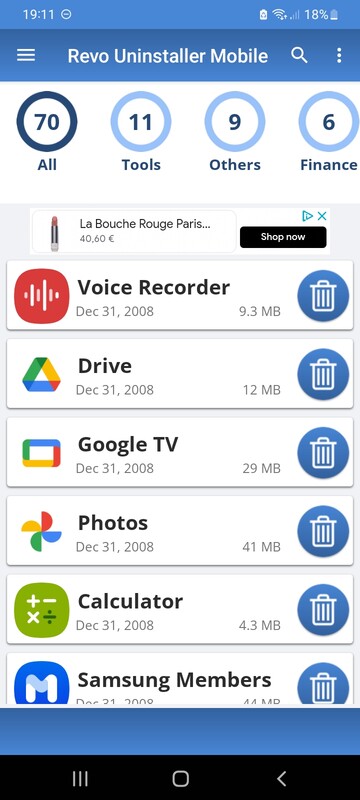
Revo Uninstaller Mobile features a user-friendly interface designed for mobile use. The intuitive design allows users to easily navigate the application and perform uninstallation and optimisation with minimal effort.
Conclusion
Revo Uninstaller Mobile, developed by VS Revo Group, is a portable and efficient solution for managing applications on Android devices. With features such as real-time monitoring, rubbish collection and batch uninstallation, the app allows users to optimise their devices and rid them of clutter. Whether you want to uninstall apps or free up memory space, Revo Uninstaller Mobile is a handy tool for managing apps on the go.
Features
Pros
- Complete Program Removal
- Forced Uninstall
- Additional Tools
Screenshots
Ask a Question
Can Revo Uninstaller Mobile uninstall pre-installed apps?
Revo Uninstaller Mobile primarily works with applications installed by the user. Although it can remove some pre-installed applications, it is recommended to be careful and use system tools to do so.
Can Revo Uninstaller Mobile optimise data storage?
Yes, includes a rubbish cleaner to help users remove junk files and optimise data storage on their Android devices.
What is the batch uninstall feature in Revo Uninstaller Mobile?
Batch uninstall allows users to uninstall multiple applications simultaneously, saving time and simplifying the uninstallation process.
Is Revo Uninstaller Mobile compatible with all Android devices?
Revo Uninstaller Mobile is designed to be compatible with a wide range of Android devices. However, there may be differences depending on the specific device.
Does Revo Uninstaller Mobile require root access?
Does not necessarily require root access for basic uninstall functions. However, some advanced functions may require root access.
Similar programs
-
 IObit Uninstaller IObit
5 (1) Free 31 105
Windows
View IObit Uninstaller -
 Revo Uninstaller Revo Group
5 (1) Free 10 650
Windows
View Revo Uninstaller -
 DS4Windows Ryochan7
5 (1) Free 11 297
Windows
View DS4Windows -
 AZAR - Random Video Chat Hyperconnect LLC
5 (2) Free 100 857
Android, iOS
View AZAR - Random Video Chat


